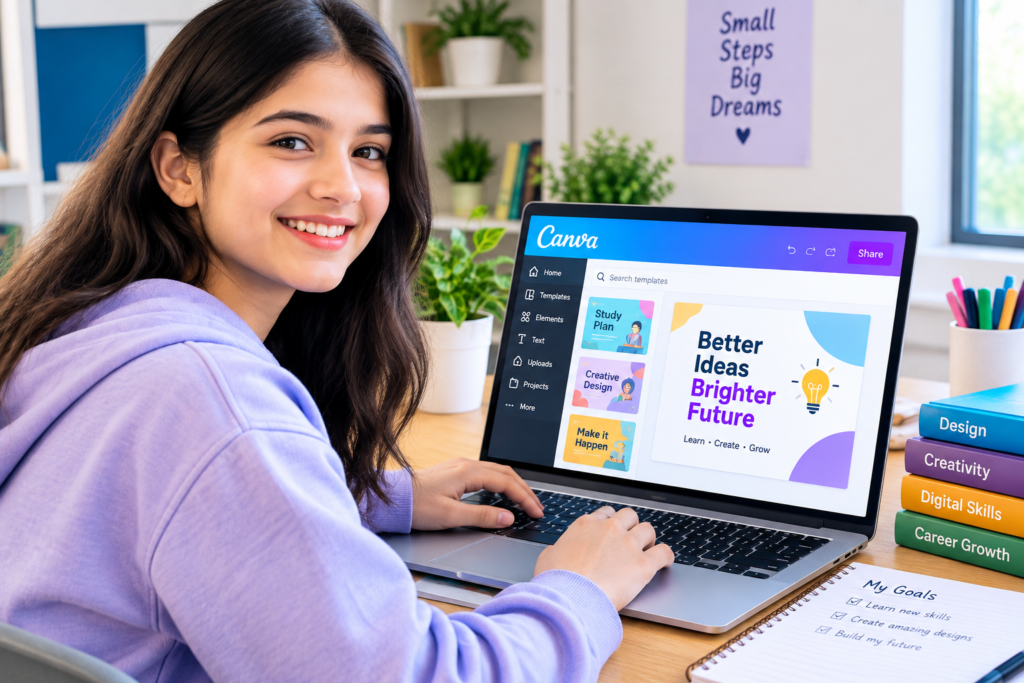
Digital tools have become an important part of modern classrooms, giving teachers and students new ways to present information and create learning materials. Canva for Education provides a visual design environment that can be used for presentations, worksheets, posters, classroom activities, infographics, videos, and other educational projects. Its visual approach can help teachers develop engaging resources while giving students opportunities to communicate ideas through creative formats. When used alongside appropriate teaching methods, digital design tools can support collaboration, presentation skills, creativity, and visual communication across different subjects and grade levels.
What Is Canva for Education?
Canva for Education is an education-focused version of Canva designed to support teachers and students with visual content creation. It provides tools and templates that can be used to develop educational materials and student projects.
Teachers can create classroom presentations, lesson resources, visual explanations, schedules, worksheets, and other materials. Students can use the platform to create presentations, reports, posters, infographics, videos, and project-based assignments.
The visual interface can make it easier for users with limited graphic design experience to create structured digital content.
Supporting Classroom Teaching
Teachers often need to explain information in ways that are easy for students to follow. Visual materials can complement spoken explanations, textbooks, and written instructions.
Presentations can organize key ideas into sections, while diagrams and infographics can simplify relationships between concepts. Visual timelines can help students understand historical events, and charts can make numerical information easier to interpret.
The usefulness of a visual resource depends on how it supports the lesson. Good classroom materials should reinforce the learning objective rather than simply add decorative elements.
Creating Presentations
Presentations are among the most common digital learning resources. Teachers can organize lessons into slides containing text, images, diagrams, charts, and other visual elements.
Students can also create their own presentations to demonstrate what they have learned. This gives them an opportunity to organize information, select relevant content, and explain their ideas to an audience.
Presentation projects can develop communication skills because students need to decide what information is important and how it should be presented.
Designing Educational Worksheets
Worksheets can provide students with structured opportunities to practice concepts. Digital design tools can help teachers create worksheets that include questions, diagrams, spaces for responses, and visual instructions.
Teachers can adapt materials for different subjects. A language lesson might include vocabulary activities, while a science worksheet could contain labeled diagrams or observation questions.
Digital worksheets can also be shared electronically or printed when physical copies are preferred.
Infographics and Visual Learning
Infographics combine information with visual elements to communicate ideas efficiently. They can be useful when students need to understand relationships, processes, statistics, or sequences.
For example, a science infographic might explain the stages of a natural process. A history project could organize major events along a timeline.
Creating an infographic can also become a student assignment. Learners must research a topic, identify important information, organize it, and present it in a visually understandable format.
Student Creativity
Creative assignments can give students different ways to demonstrate their understanding. Instead of submitting only a traditional written response, students may create posters, presentations, videos, brochures, or visual reports.
This approach can be particularly useful for project-based learning. Students can make decisions about layout, images, typography, and organization while focusing on the academic content of the project.
Teachers can establish clear requirements so that creativity remains connected to the learning objective.
Collaboration in the Classroom
Digital design platforms can support collaborative projects. Students can work together on presentations, posters, or other shared materials.
Group projects require students to divide tasks, communicate ideas, review each other’s contributions, and complete work within a specific timeframe.
Collaboration can also occur between teachers. Educators may develop shared resources, exchange ideas, and organize materials for different classes or subjects.
Visual Communication Skills
Visual communication is increasingly important in education and professional environments. Students encounter information through websites, presentations, social media, reports, videos, and digital applications.
Learning how to organize information visually can help students communicate more effectively. They can learn how to select relevant information, create visual hierarchy, and present ideas clearly.
These skills can complement traditional writing and speaking abilities.
Supporting Different Subjects
Visual design tools can be applied across many areas of the curriculum.
In mathematics, students can create charts, diagrams, and visual explanations. Science students can develop process diagrams or research posters. History students can create timelines and presentations. Language students can design vocabulary resources or visual stories.
Art and media classes can use design projects to explore composition, typography, visual storytelling, and digital creativity.
This flexibility makes visual content creation useful across multiple academic areas.
Digital Learning Resources
Teachers can use digital designs to supplement classroom instruction. Lesson materials can be organized into reusable resources that students access before, during, or after a lesson.
Digital resources can also support revision. Students can review presentations, diagrams, and visual summaries when preparing for assessments.
However, digital materials should remain organized and easy to navigate. Too much information on a single page or slide can make learning more difficult.
Benefits for Teachers
Creating classroom materials from scratch can require considerable time. Templates and reusable design elements can help teachers organize resources more efficiently.
Teachers can adapt materials to match their subjects and classroom requirements. They can also create consistent visual formats for recurring assignments or classroom announcements.
The platform can support both simple and more detailed projects, allowing teachers to create materials according to their own level of design experience.
Benefits for Students
Students can gain experience with digital creativity while working on academic assignments. They can practice organizing information, presenting ideas, and making design decisions.
Visual projects can also encourage students to take greater ownership of assignments. Instead of simply answering questions, they may need to decide how information should be communicated.
These activities can develop creativity alongside research, writing, communication, and technology skills.
Accessibility and Inclusive Learning
Educational materials should be designed so that as many students as possible can use them effectively. Clear text, readable layouts, appropriate contrast, captions, and alternative ways of presenting information can contribute to accessibility.
Teachers should consider the needs of their students when creating digital materials. A visually attractive resource may not be effective if the text is too small or the information is difficult to navigate.
Accessibility should therefore be considered during the planning stage rather than added only after the material has been completed.
Responsible Use of Digital Content
Students and teachers should also consider responsible use of images, fonts, videos, and other digital resources. Educational projects may include content created by other people, so users should follow applicable licensing and attribution requirements.
Teaching students about responsible digital content use can help them develop good research and media practices.
This is particularly useful as students create increasingly sophisticated digital projects for school and later professional environments.
Canva for Project Based Learning
Project-based learning often requires students to research information and present a final product. Visual design tools can support several stages of this process.
Students might research a topic, organize their findings, create visual materials, receive feedback, revise their work, and present the finished project.
The design component does not replace subject knowledge. Instead, it provides another method for students to demonstrate how well they understand the topic.
Using Design Tools Effectively
The best educational design is not necessarily the most elaborate. A simple presentation with clear information can be more effective than a crowded design containing too many graphics.
Teachers can focus on readability, organization, consistency, and relevance. Students can also learn that design choices should support communication rather than distract from the main message.
Using visual tools effectively therefore requires both creativity and judgment.
Frequently Asked Questions
What is Canva for Education used for?
It can be used to create presentations, worksheets, posters, infographics, videos, classroom materials, and student projects.
Can students use Canva for school projects?
Yes. Students can create visual presentations, posters, reports, infographics, videos, and other educational projects depending on their teacher’s requirements.
Can teachers create lesson materials?
Yes. Teachers can create visual lesson resources, worksheets, presentations, classroom announcements, and other instructional materials.
How can visual design support learning?
Visual design can organize information, illustrate concepts, present processes, and provide another way for students to communicate what they have learned.
Can students collaborate on projects?
Digital design platforms can support collaborative work, allowing students to contribute to shared presentations and other projects.
Is Canva useful across different subjects?
Yes. Visual projects can be adapted for subjects such as science, mathematics, history, languages, arts, technology, and social studies.
Conclusion
Digital design can give educators and students additional ways to communicate information and demonstrate learning. Canva for Education provides tools that can support presentations, worksheets, infographics, videos, posters, and collaborative projects across different subjects. When visual elements are connected to clear educational objectives, they can complement traditional teaching methods while helping students develop creativity, communication, research, and digital skills. Used thoughtfully, visual design can become a practical part of an engaging and modern learning environment.
Pingback: Levels of Education and What Students Learn at Each Stage - Study to Skill